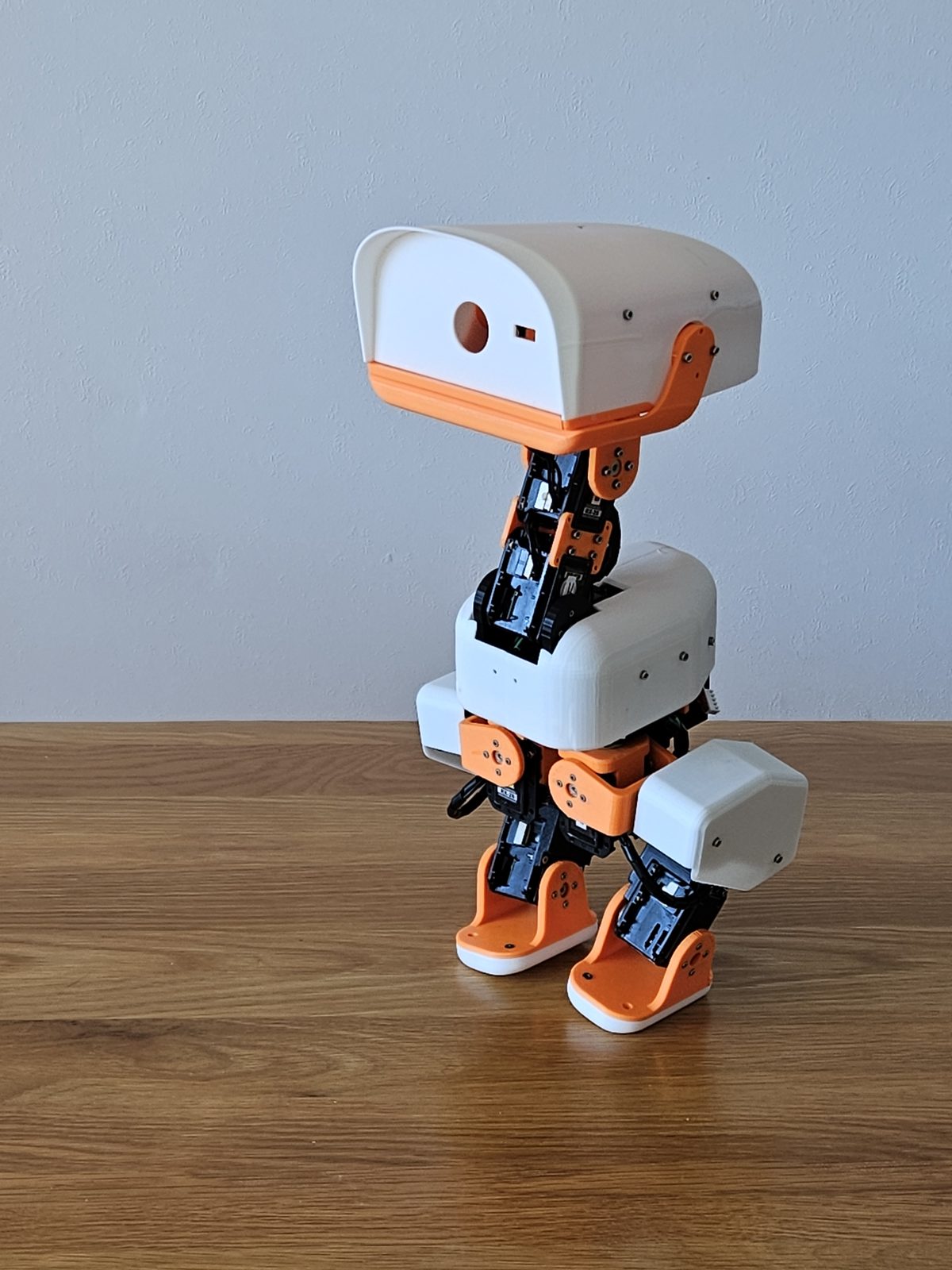
Why
I wanted a MicroDuck, the little open-source walking duck. It isn't available yet, and the lead time looked long. Meanwhile I had a box of RX-28 Dynamixels left over from my hexapod: a lot of 20 I bought used about six years ago. My kid had just turned one. So instead of waiting, I scaled the duck up to fit the servos I already had.
The "XL" is a fossil. The first version was designed around XL430 servos I had lying around, but I switched to an all-RX-28 build early on. The name stayed.
The story so far
-
Two weeks, start to finish
The first commit (October 16) is a torque budget for an XL430 duck. Two weeks and about 250 commits later, the robot walks around the living room, driven from a phone, and gets back up when it falls.
-
Scaling up
I took the MicroDuck's proportions and joint layout and rebuilt them around the larger RX-28. Each leg has five joints, and the neck and head have four: 14 servos in total. Everything else is 3D printed.
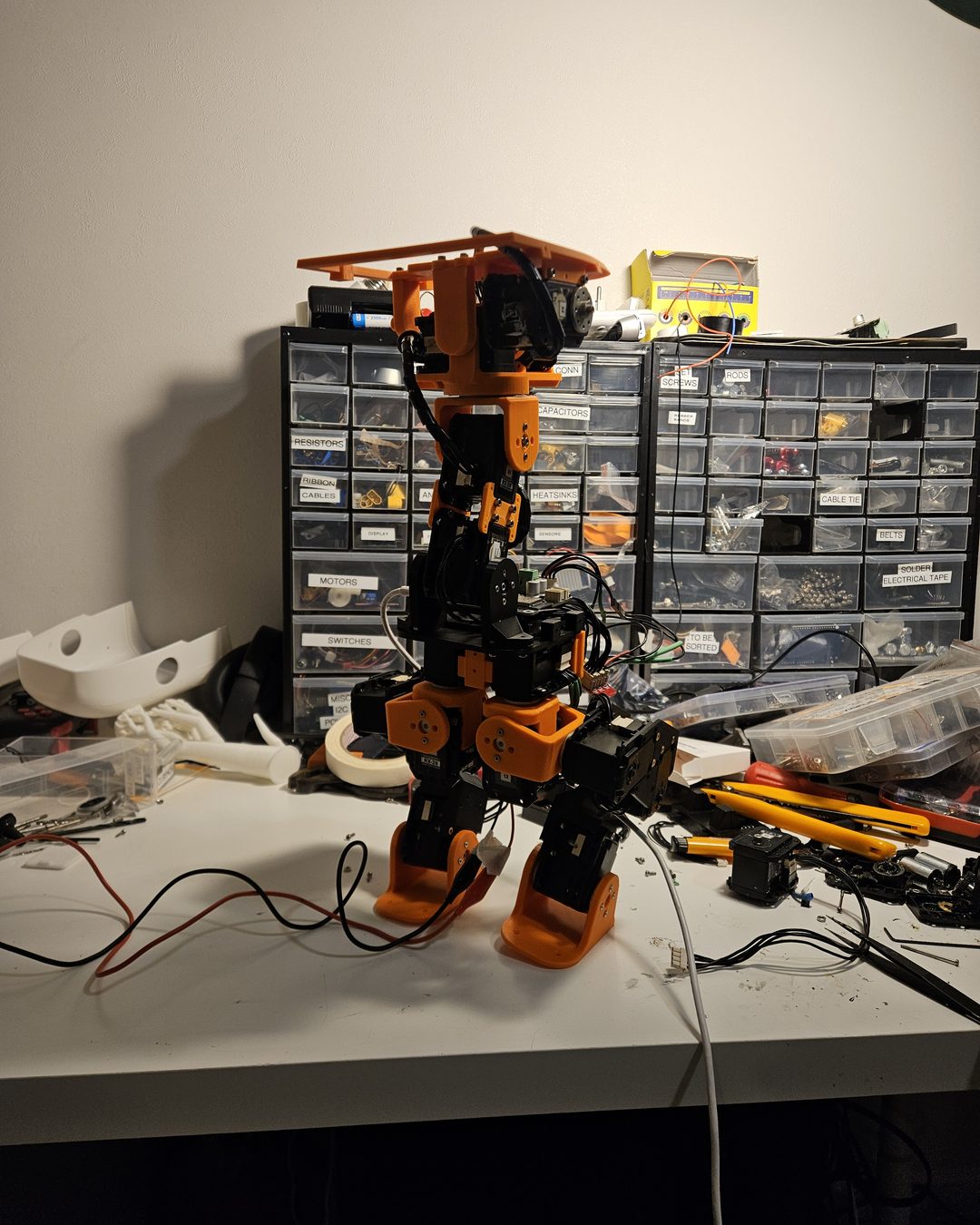
On the workbench, before any shells -
Teaching it in simulation
A walking robot like this isn't programmed step by step. A small neural network is trained in a physics simulator by trial and error, over millions of simulated falls, and then copied onto the robot. I used the MicroDuck's training recipe and adapted it to my robot and its servos.
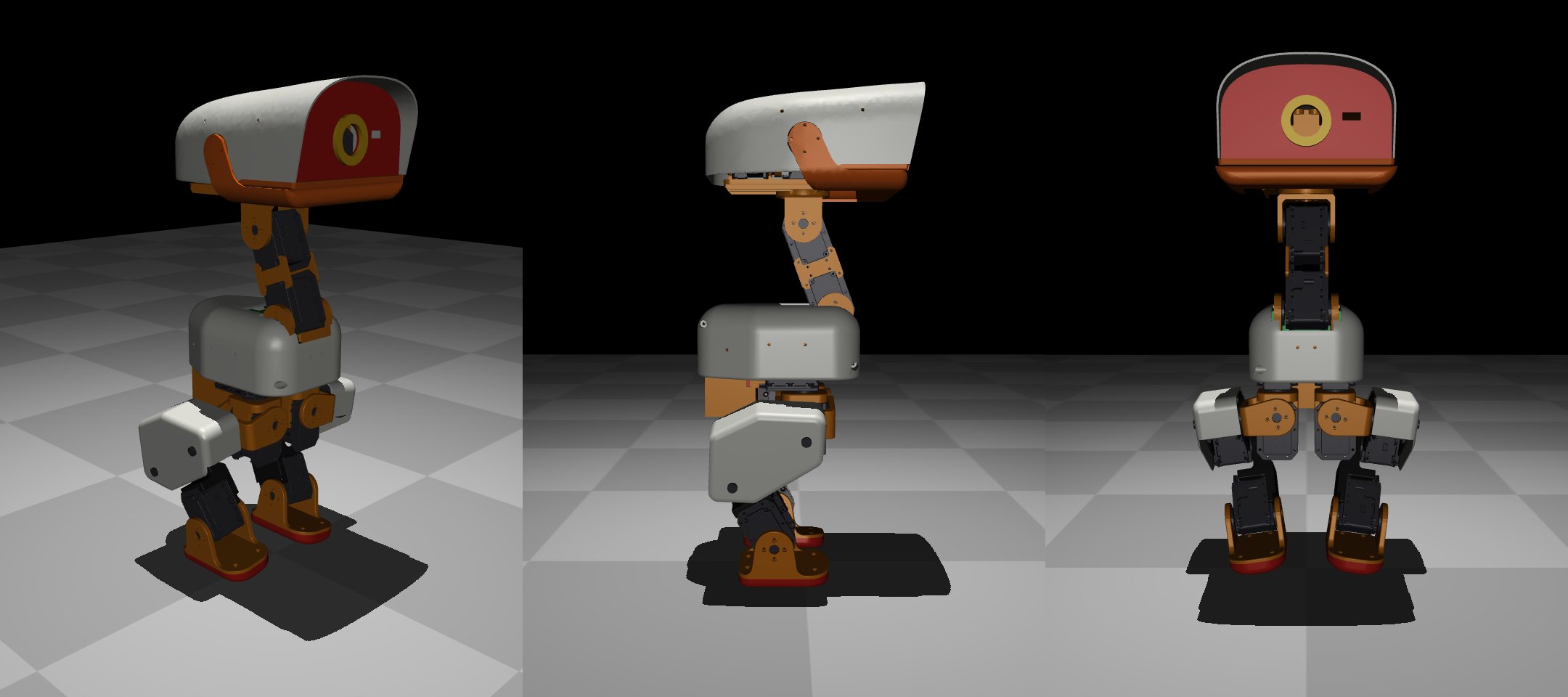
The simulation model from three sides -
The head was too heavy
It walked fine until I put the full printed head on: shell, beak and a servo to open the mouth. Then it kept tipping forward. I took the mouth servo out and retrained the walking network on robots with randomly heavier heads, so it learned to cope with whatever the real head weighs.
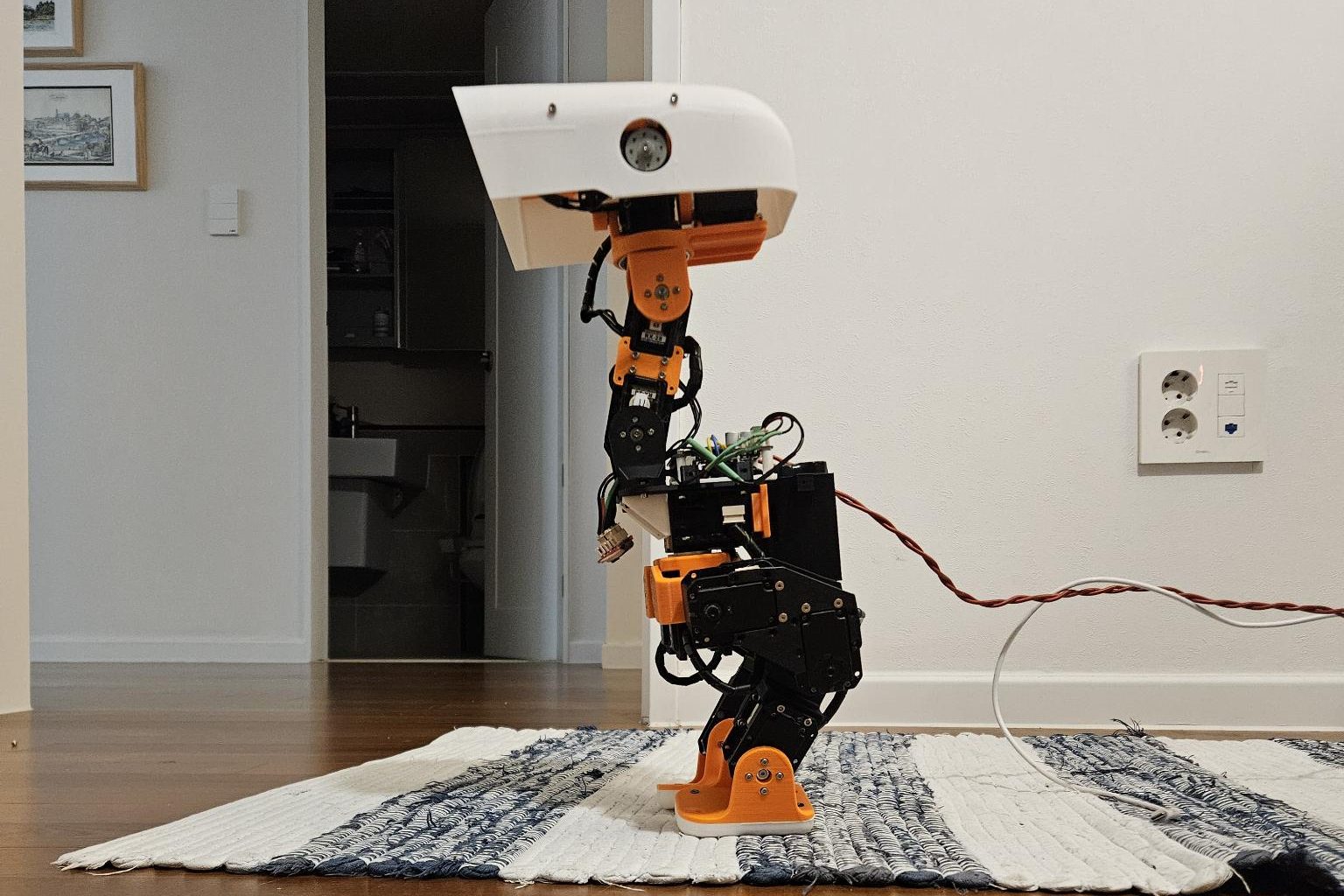
With the head shell on, before the body shell, still on a power cable -
Now
It walks forward and backward, turns, looks around with its head, sits, stands, and picks itself up after a fall. Since November it also quacks and sings.
Getting up after a fall Playing with my son Skating across the wooden floor -
A new brain, and a voice
In November the duck moved off the Waveshare servo board onto the Baunuri HAT, the controller board I designed for Popm. It brought a speaker amp, so the duck got a voice: a quack that follows its beak, and a keyboard on the phone page to make it sing. More on both below.
Try it
This is the same simulator I trained in, running in your browser, with the exact networks that are on the robot. Drive it with the keyboard or a gamepad. Push it over and watch it get back up.
Specs
- Height
- ~40 cm
- Weight
- ~2.1 kg
- Joints
- 14: 5 per leg (hip yaw, hip roll, hip pitch, knee, ankle), neck pitch, head pitch / yaw / roll; plus a servo for the beak
- Servos
- Dynamixel RX-28 (used), 1 Mbps bus
- Brain
- The ESP32-S3 (16 MB flash, 8 MB PSRAM) on my Baunuri HAT; servos on its RS485 port. Until November: the ESP32 on a Waveshare Bus Servo Driver HAT (A)
- Sensors
- IMU (LSM6DS3TR-C on the board; tilt and rotation), servo positions
- Voice
- MAX98357A amp and a speaker; the quack is synthesized on the board
- Power
- 4S pack I made from spare 18650 cells, 14.8 V
- Control
- Neural network, 50 times per second
- Remote
- Phone web page over Wi-Fi (joystick, head stick, sit / stand buttons, a keyboard to make it sing)
- Rough cost
- The controller started as a $20 Waveshare Bus Servo Driver HAT (A) and is now my own Baunuri HAT. The 14 RX-28 servos are left over from my hexapod (about $50 each used, ~$700 if bought for this), and everything else came from my parts bin: screws, wires, connectors, even the battery.
Mechanics
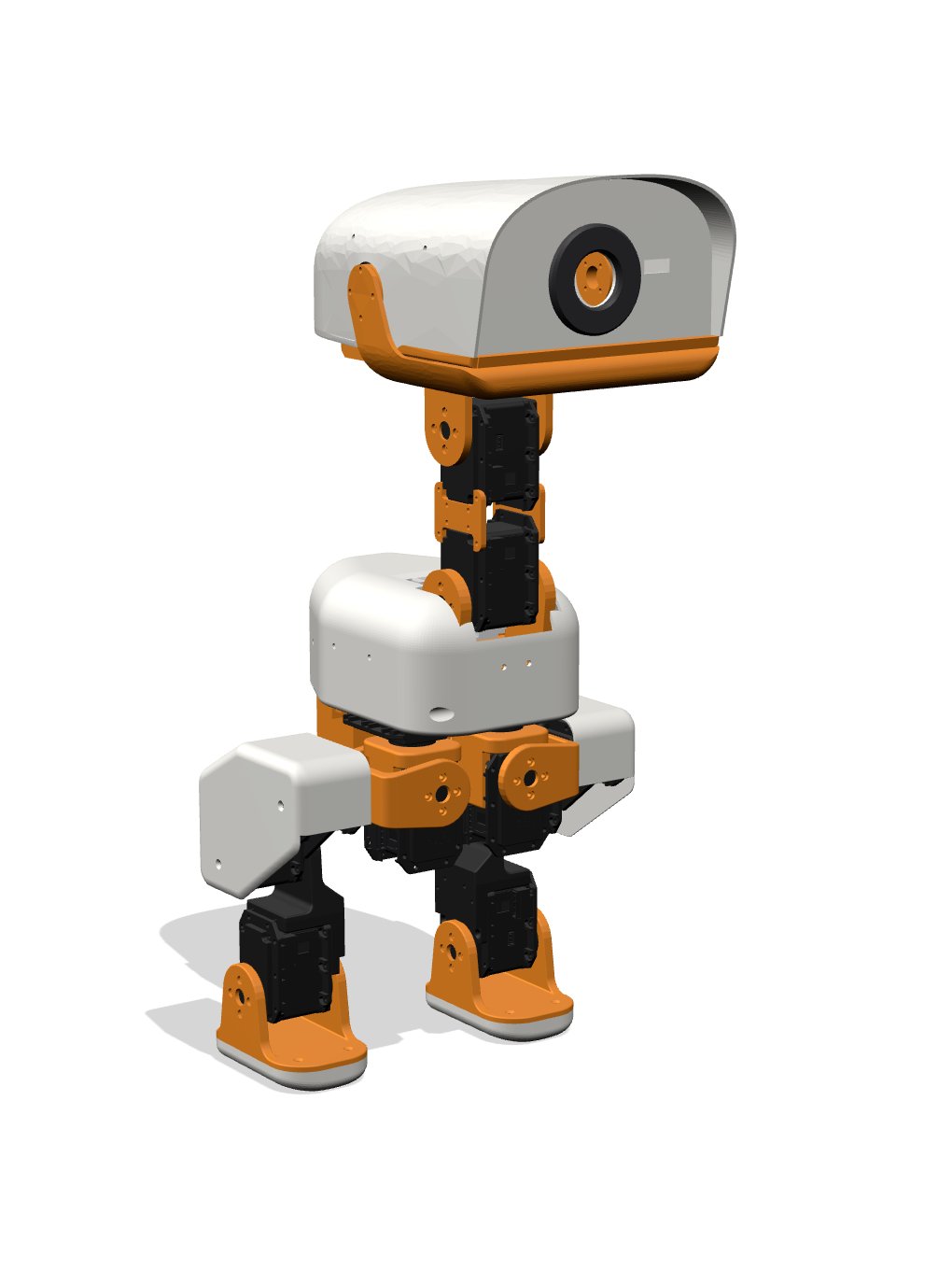
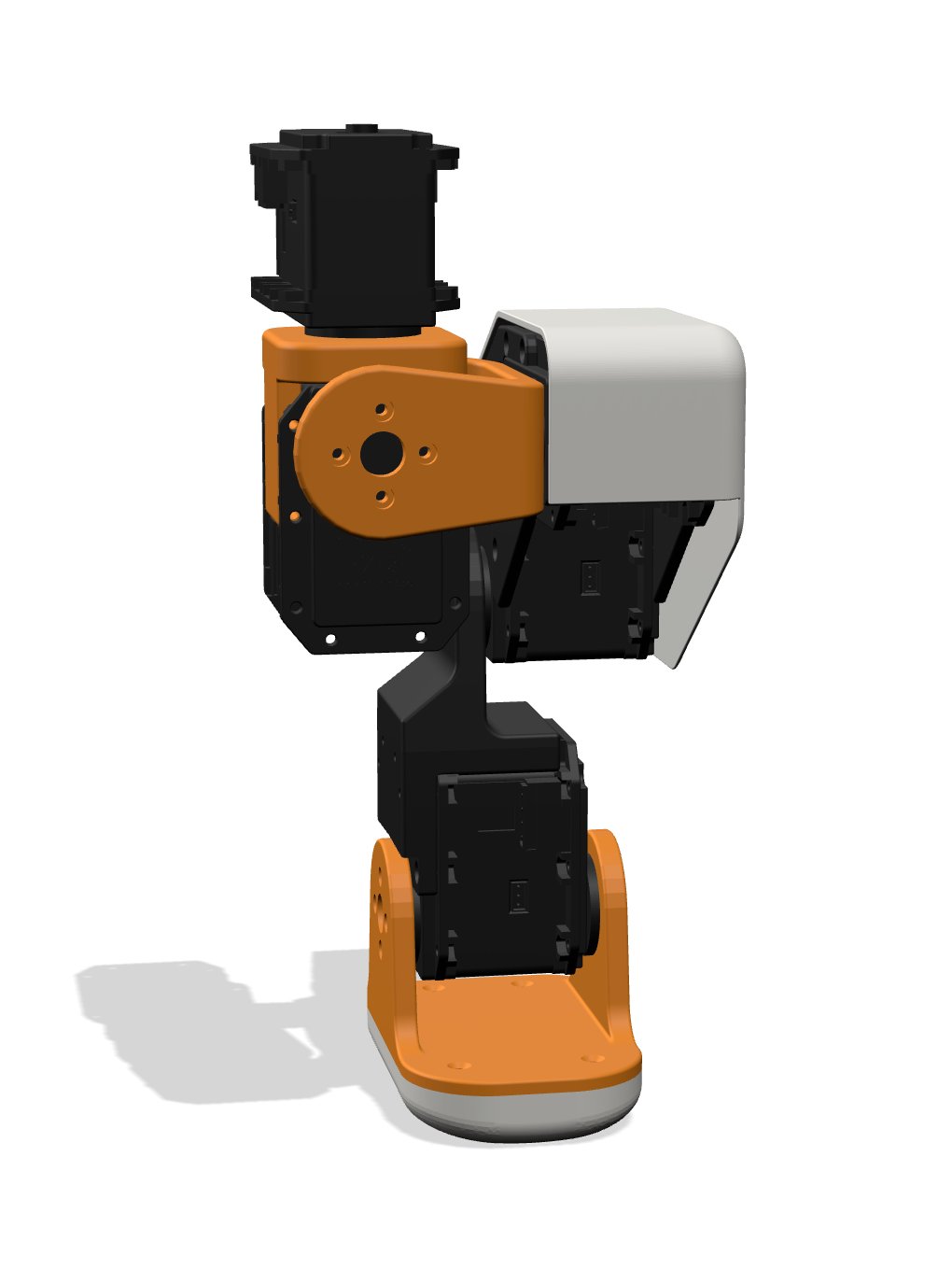
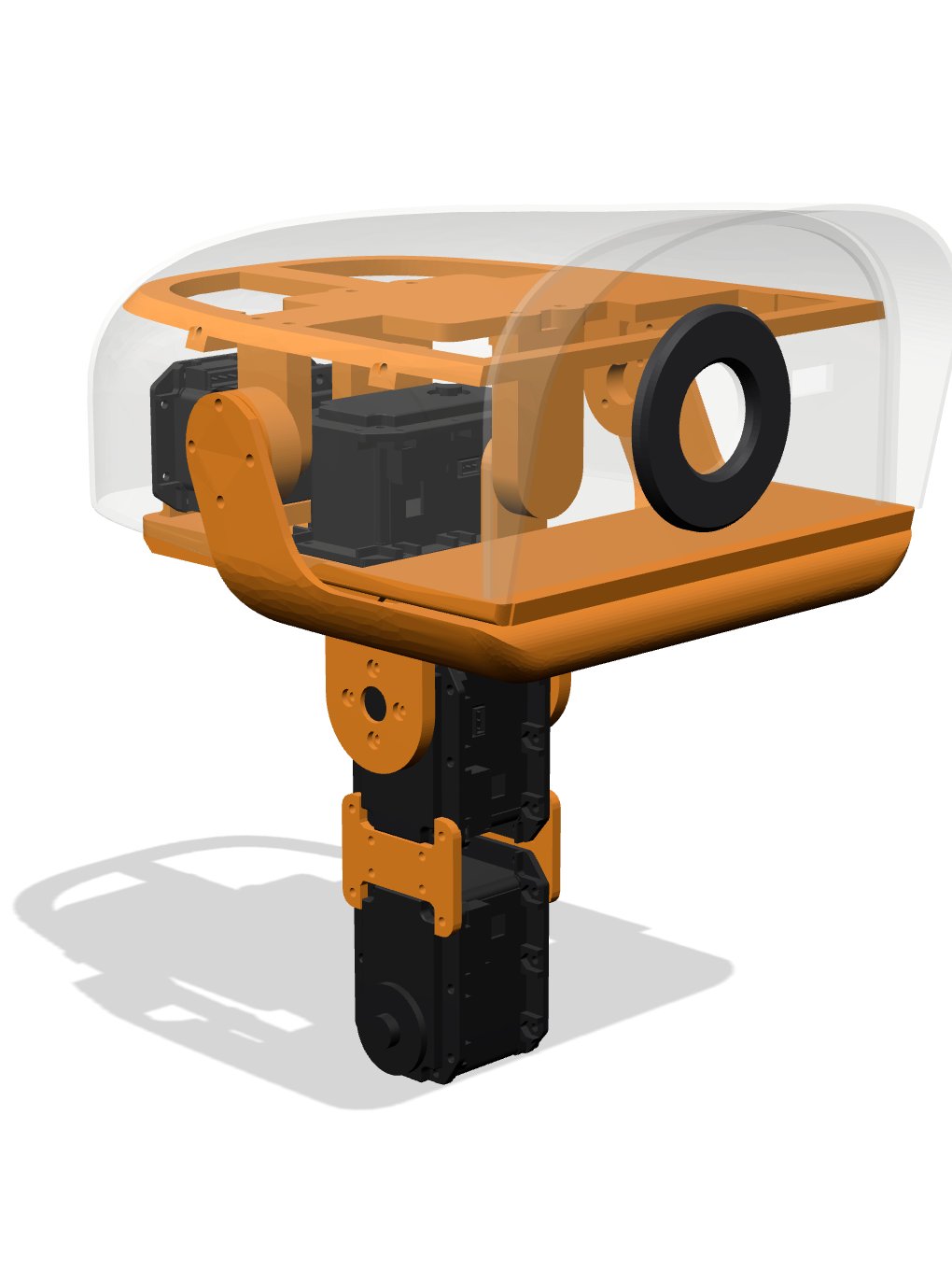
The body is MicroDuck-shaped but sized around the RX-28. The servos are mounted on both sides wherever possible, and the battery sits low in the body. The head has three joints (pitch, yaw, roll) on top of a neck pitch joint, so it can look around and nod independently of walking.
The head is where most of the design iterations went. It's the part that gives the duck its character, but every gram up there makes walking harder. The mouth servo came out for a while; it's back now, opening the beak, and the duck's voice follows it.
Everything is printed in PLA, and most parts didn't need much support. Assembly is straightforward, but taking it apart and putting it back together, which I do often, isn't very ergonomic.
Brains on one microcontroller
Everything runs on one ESP32, the same kind of chip that's in smart plugs. Since November it's the ESP32-S3 on the Baunuri HAT:
- Two small networks. One walks, and one gets the robot up when it has fallen. The board switches between them by itself, based on how far the robot is tilted.
- Shrunk to fit. Each network is about 30 KB (33,000 numbers) and ran in about 7.5 ms on the original board, comfortably inside the 20 ms control cycle. Getting that fast took a smaller network and 8-bit math. The same networks run unchanged on the new board's ESP32-S3, in about 2.4 ms per step.
- Why not a Pi. The trained walking network fits on the microcontroller itself, so there's no Linux board to boot: switch it on and drive it. The same chip still has room to synthesize the duck's voice while it walks. If a robot ever needs more compute, the board has a Raspberry Pi header, so a Pi (or a Jetson with the same 40-pin header) can sit on top.
- Phone remote. The board hosts its own web page: a joystick to walk, a second stick to move the head, buttons to sit, stand, or go limp, and a Sing tab with a keyboard.
- New board, same networks. On the Baunuri HAT the RX-28s run on the board's RS485 port: the ESP32-S3's UART in its hardware RS485 half-duplex mode, at 1 Mbps, Dynamixel Protocol 1.0. The IMU is the board's own LSM6DS3TR-C, which replaced a GY-521 (MPU-6050) module. The board is mounted upside down, so the firmware flips its axes.
- Safety. If a servo stops answering or the robot stays down too long, the board cuts power to the motors.
A voice
The new board has a small speaker amp, so the duck can quack. The quack isn't a recording. My first tries built one from scratch, a buzzy pulse through a couple of formant filters, and they sounded more like "owahhh" than a duck. What fixed it was measuring a real one.
I took a recording of a real mallard and analysed it with linear prediction (LPC): 20 frames of 20 ms, each a 14-pole filter plus a level and a pitch that glides from 200 to 250 Hz. The firmware drives that filter with a pulse train and some noise. About 300 numbers ship on the board, no audio.
The sound follows the beak. Opening it sets off a quack. Held open, the quack sustains (the middle frames loop), and closing the beak fades it out. Each of the 12 animations has its own voice, with its own pitch, length and breath. The ones that don't move the beak get short scripted sounds instead: a "hm" on a nod, a grumble on a head shake, a sigh when it's sleepy.
Singing
The phone page has a Sing tab: a two-octave keyboard, multi-touch, with four voices at once and slides between keys. The duck opens its beak while it sings, every note pops the beak open, and each key press nudges the head (high notes look up). Knobs shape the synth: attack, release, scoop (the duck's slide up into a note), vibrato, breath and tone.
It also knows 42 Bach pieces, all sung in the same quack voice. Most come from Popm's set: minuets, chorales, Goldberg variations and more. For the duck I added all four movements of the Partita for solo flute (BWV 1013), the Air on the G string, Sheep May Safely Graze, the Toccata and Fugue in D minor, movements from the violin partitas, and two-part inventions 1, 4, 8 and 13. A piece plays either as a duck solo, one melody line taken from the top of the score, or as the full arrangement in up to four parts. It can be transposed up to two octaves either way, and played at 25 to 200 % speed.
You can try all of it in the browser. The phone app demo is the robot's own phone page, unchanged, connected to the simulator instead of the duck, with the voice code ported to JavaScript. Drive it, play the animations, play the keyboard, or have it sing while it walks. Tap anything once first: browsers only play sound after a tap.
The scores are from the Mutopia Project (public domain or CC BY-SA 3.0). The chorales are from Craig Stuart Sapp's digital edition of the 371 chorales, CC BY-NC-SA 4.0.
Teaching it to walk
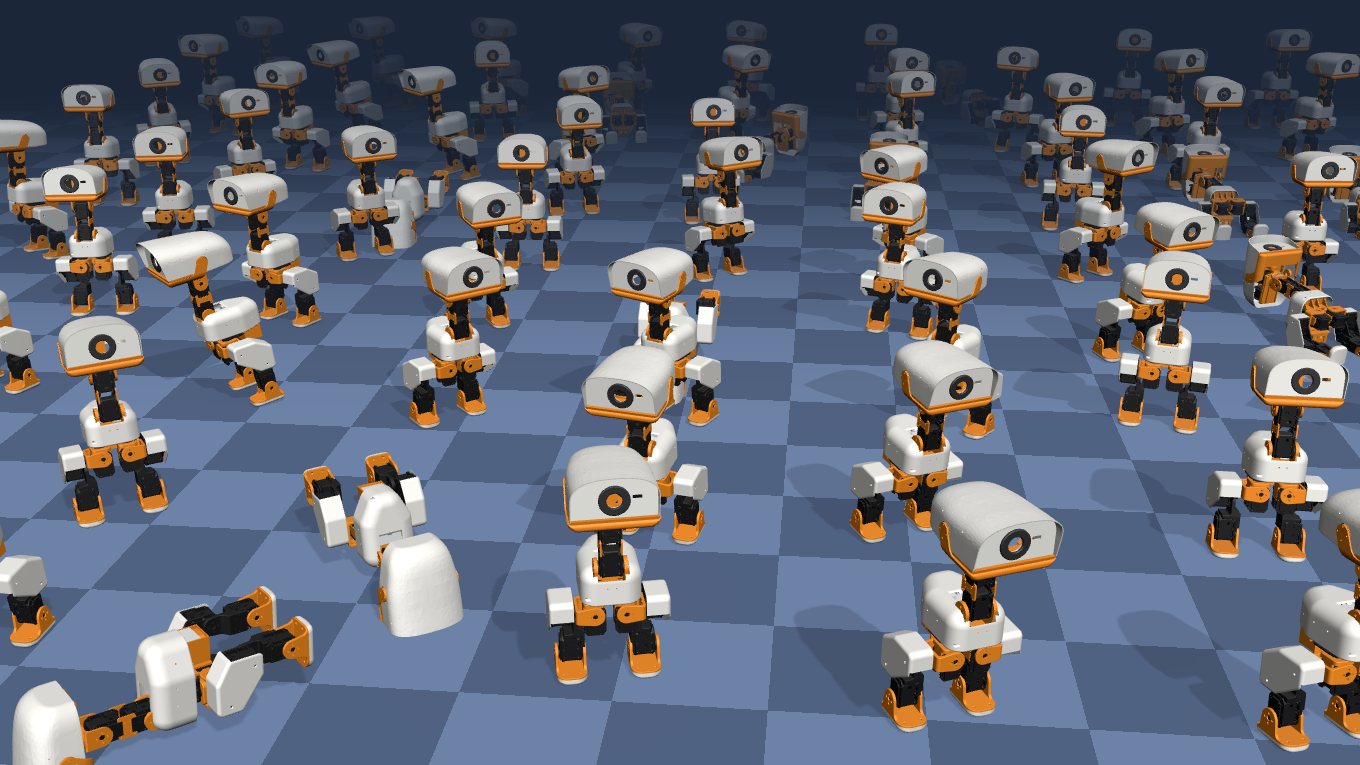
Training runs thousands of simulated ducks at once on a gaming GPU. Each tries to follow a joystick command without falling, and gets rewarded for doing it well and smoothly. Overnight that adds up to years of practice.
The trick to making it work on the real robot is domain randomization. If the simulator always used the same robot, the network would only work on that exact imaginary robot. So every simulated duck is a little different: weaker or stiffer servos, gears with play in them, a heavier head, a shifted center of mass, delays in the commands. A network that walks on all of them has a good chance of walking on the real one.
Making the sim honest
The servos are six-year-old used RX-28s, and no two behave quite the same. So I measured them:
- Bench tests of every servo to measure strength and stiffness. One had a worn position sensor and was retired, and one had a replaced motor. The strongest went where the load is highest.
- Gear play. Measured by hand at each joint: about 2.5° in the legs and up to 5° in the neck. The simulator models it.
- Replaying the robot's own logs. The robot records everything it senses and does. I replayed those recordings in the simulator with the same network and the same commands, and adjusted the simulated robot until it behaved the same: how far it leans, how fast it steps, how well the knees keep up. That fit showed the real servos act about 30 % softer than on paper. The newest networks are trained to handle that.
How I built it with Claude Code
I built this with Claude Code, Anthropic's coding agent, working as a collaborator across several sessions at once: one on CAD, one on training and firmware. I made the calls and did all the hands-on robot testing. The agents wrote and ran the code, kept training running on two GPUs (my desktop and a small server), and left notes in the repo.
A typical loop: I'd test on the robot and describe what I saw ("it keeps falling forward since I put the head on"). The agent would reproduce it in simulation, start retraining on both GPUs, test the results against a set of checks, and have a network ready to flash when I came back. Some of that ran overnight while I slept.
Should you build this?
Probably not, at least not as it is. The RX-28 has been discontinued for years, so the only way to get them is used, and used ones vary a lot (see above). The whole robot is designed around the RX-28's size and mounting holes, so switching to a current servo means redesigning most of the brackets and retraining the networks.
If you want a walking duck of your own, start from the MicroDuck it's based on. This page is more useful as a record of how one adaptation went: scaling a design to the parts you have, and making a simulator match worn servos.
The whole thing is on GitHub at baunuri/xl-duck: the MuJoCo model, the training code and run log, the firmware with the voice and songs, and the CAD with the printable parts. Code is MIT, the mechanical design CERN-OHL-S.
What's next
- A gentler, more reliable get-up. It still struggles sometimes on the real robot.
- Personality: head motions and sounds that react to the kid.
- Toddler-proofing. See Popm.
- Publishing the CAD and code.